
Excel Data Analytics Certification Program
About Course
Duration: 2 Months (8 Weeks)
Mode: Online/Blended Learning
Weekly Classes: 1 Classes / Week
Class Duration: 2 Hours / Per Class
Certification: Upon successful completion of the final project.
Program Overview
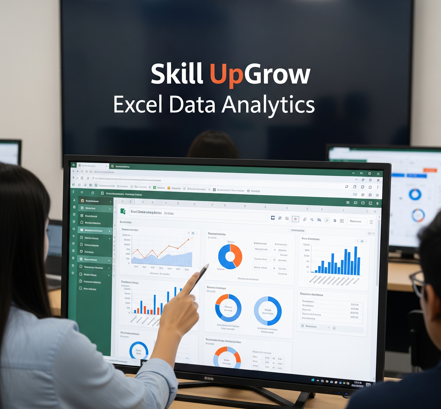
This intensive 2-month certification program is designed for individuals seeking to master data analysis using Microsoft Excel. From data cleaning and manipulation to powerful visualization and reporting, participants will gain practical skills with Excel’s robust analytical tools. The course emphasizes hands-on application through real-world scenarios, preparing students for immediate impact in data-driven roles.
Course Curriculum: Weekly Breakdown
Month 1: Excel Foundations & Data Preparation
-
Week 1: Excel Interface & Basic Data Handling
-
Navigating Excel, ribbons, worksheets.
-
Data entry, formatting, and basic calculations.
-
Understanding cell references (relative, absolute, mixed).
-
-
Week 2: Data Cleaning & Validation
-
Text to Columns, Flash Fill.
-
Remove Duplicates, Find & Replace.
-
Data Validation for error prevention.
-
-
Week 3: Data Manipulation & Organization
-
Sorting and advanced filtering.
-
Working with Excel Tables (structured references, total rows).
-
Conditional Formatting for highlighting data.
-
-
Week 4: Essential Formulas & Functions
-
SUM, AVERAGE, COUNT, MAX, MIN.
-
Logical functions: IF, AND, OR.
-
Lookup functions: VLOOKUP, HLOOKUP.
-
Month 2: Advanced Analysis & Reporting
-
Week 5: Advanced Formulas & Data Aggregation
-
INDEX-MATCH for flexible lookups.
-
SUMIFS, COUNTIFS, AVERAGEIFS for conditional calculations.
-
Date and Time functions (TODAY, NOW, DATEDIF).
-
-
Week 6: Data Visualization with Charts
-
Choosing appropriate chart types (bar, column, line, pie, scatter).
-
Chart customization, trendlines, error bars.
-
Sparklines for in-cell visualizations.
-
-
Week 7: Powerful PivotTables & PivotCharts
-
Creating PivotTables for data summarization.
-
Analyzing data with rows, columns, values, and filters.
-
Using Slicers and Timelines for interactive reporting.
-
Building dynamic PivotCharts.
-
-
Week 8: Introduction to Power Query & Dashboard Design
-
Basic data import and transformation with Power Query (Get & Transform Data).
-
Principles of effective dashboard design in Excel.
-
Final Project: Apply learned skills to analyze a dataset and create a comprehensive report/dashboard.
-
Program Features
-
Hands-on Learning: Practical exercises and real-world datasets.
-
Expert Instructors: Guided by experienced data analysts.
-
Dedicated Support: Access to instructors for questions.
Assessment & Certification
Certification is awarded upon successful completion of the final data analysis project.
Enroll Today!
Course Content
Month 1: Excel Foundations & Data Preparation
Month 2: Advanced Analysis & Reporting
Student Ratings & Reviews
